

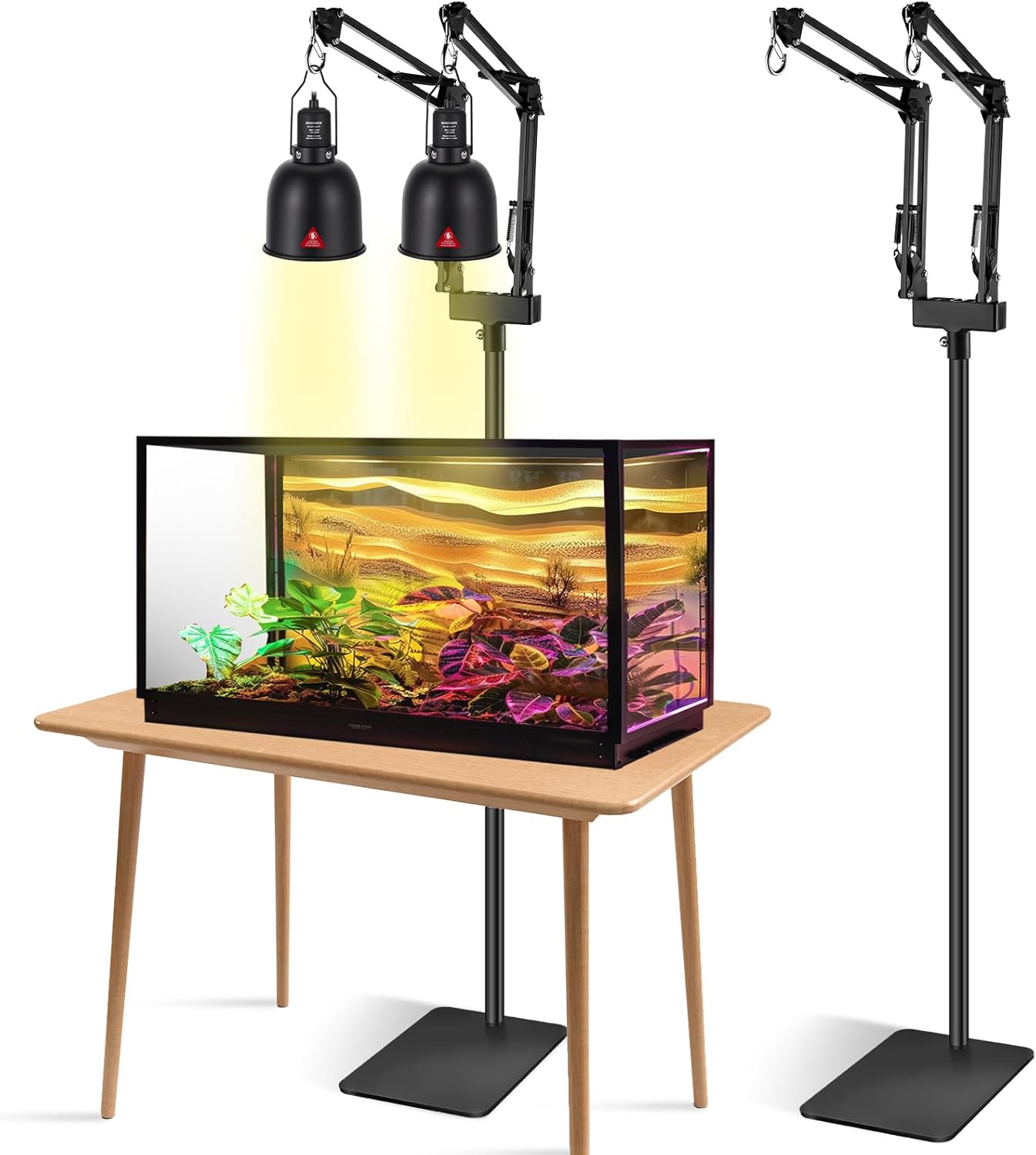
Reptile Light with Thermostatic Timer, 5.5'' Reptile Heat Lamp Fixture Switch Control Function with Heat Lamp Bulbs for Reptile Glass Terrariums 300W
Product details
| Management number | 209682733 | Release Date | 2026/03/29 | List Price | $14.40 | Model Number | 209682733 | ||
|---|---|---|---|---|---|---|---|---|---|
| Category | |||||||||
How to Setting Temperature. 1. Select the unit of temperature display, press and hold "△"and "▽" to switch at the same time. 2. Setting the constant temperature value: press "SET" key, the display value will be fla-shing, press "△"and "▽"key to adjust the constant temperature value, after adjustment,press "SET" key to save the set value and exit, or automatically save the set value after 30 seconds and exit. 3. Setting the timer time: Press "SET" key and "△"at the same time for 3 seconds, the timer setting will appear, Press "△", "▽" key, set the timer. Such as setting 3H: it means that the product works 3H and stopos 21H. 24H is a cycle, and repeat it all the time, when the timer is set to 24H, the timer function can be canceled automatically.
- 【Great Value】 reptile light fixture with dimming thermostat is great for helping you create a suitable temperature range for your pets. The reptile fixture apply E26 ceramics lamp cap, can bear Max 300W (included with 100W heat lamp bulbs)
- 【Reptile Light Fixture with Thermostatic Timer】This temperature controller makes it easier to manage your pet's lighting or heating time! You can set the lamp's operating temperature and time according to your pet's needs. Reptile heat lamps can be kept at a constant temperature. Constant temperature control range is from 20℃ to 50℃ (68°F to 122°F). Timed time can be set to any time.
- 【Reptile Light Fixture】This efficient reflection lampshade is made of high quality highly finished aluminum material, which can greatly enhances the output of UVA and UVB, Suitable for UVA basking spot lamps, UVB reptile lights, heat lamps, heat emitters, etc. However, when connecting the reptile light fixtures with the thermostat, please DO NOT use the sun lamps, LED lights or energy saving light bulbs.
- 【For Reptiles Health】 Compared to general thermostats, our dimming thermostat can avoids temperature instability and strong lighting changes, it's more beneficial to reptiles health. Temperature is very improtant to reptiles, their habitat must be set within a suitable temperature range to ensure their health and vitality.
- 【Easy to Use & Added Switch Control Function 】 Simply put the prob in terrarium, set the appropriate temperature. LED digital screen can directly display ambient temperature and setting value. You can switch Celsius and Fahrenheit at will, Perfect for reptiles, amphibians, and small animals such as Bearded Dragons, Geckos, Turtles, Tortoises, Lizards, Snakes, and Iguanas.
- 【How to Setting Temperature】 1. Select the unit of temperature display, press and hold "△"and "▽" to switch at the same time. 2. Setting the constant temperature value: press "SET" key, the display value will be fla-shing, press "△"and "▽"key to adjust the constant temperature value, after adjustment,press "SET" key to save the set value and exit, or automatically save the set value after 30 seconds and exit.
| Voltage | 110 Volts |
|---|---|
| Wattage | 300 Watt-hours |
| Bulb Base | E26 |
| Brand Name | Eonthry |
| Light Type | LED |
| Model Name | 300W |
| Unit Count | 1.0 Count |
| Light Color | Black |
| Manufacturer | Eonthry |
| Model Number | reptile light |
| Material Type | Aluminum |
| Control Method | Push Button |
| Bulb Shape Size | E25 |
| Number of Items | 1 |
| Light Source Type | Heat Lamp |
| Additional Features | Timer |
| Specific Uses For Product | Wax Warmer |


Bestseller ranking
Habitat Lighting


Correction of product information
If you notice any omissions or errors in the product information on this page, please use the correction request form below.
Correction Request Form